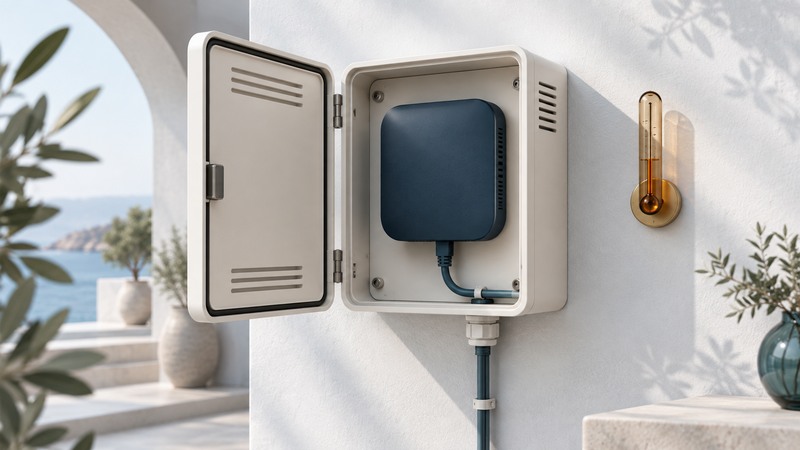
Choose an access-point enclosure as part of the complete installation: the AP, antennas, mounting bracket, cables, power, environment and service access must work together. Confirm mechanical fit and operating limits, then test connectivity with the enclosure in its final closed condition.
This guide helps facilities buyers and installers prepare a specification. Have the exact AP and enclosure model numbers, current installation instructions, mounting location and expected environmental conditions. Installation and any modifications must follow those instructions and applicable local requirements.
State what protection the location requires
Identify the real need: protection from casual handling, restricted physical access, dust, water exposure or impact. Also record whether the AP sits in an occupied room, ceiling space or outdoor location. These environments can require different materials, approvals, cable-entry methods and mounting systems.
Write the required environmental rating and the conditions of use in the brief. Verify the exact assembly's documentation, including doors, glands, knockouts and approved accessories. A rating on an empty enclosure cannot establish that a modified installation retains the same protection.
Panduit's in-building wireless solution guide illustrates how cabling, mounting and enclosure choices form a physical infrastructure system. Use a current product-specific installation sheet for the actual fit, rating and mounting instructions.
Check fit with the connectors attached
Scroll the table horizontally; keyboard users can focus it and use the arrow keys.
| Item | Evidence to obtain | Physical check |
|---|---|---|
| AP and bracket | Supported model, dimensions and mounting orientation | AP locks into its intended bracket and can be removed for service. |
| Cable space | Connector clearance, bend requirements and entry method | Door closes without trapping cables or loading connectors. |
| Antenna arrangement | Manufacturer-supported internal/external configuration | Orientation, clearance and feedthroughs match the approved arrangement. |
| Thermal limits | AP operating limit and enclosure-specific derating or thermal guidance | Installed operating conditions remain within the documented limits. |
| Service access | Door clearance, keys, fasteners and replacement procedure | Authorized staff can reach the device without dismantling unrelated equipment. |
Include the Ethernet plug, boot and cable bend in the clearance check. A box that fits the bare AP may be too shallow when the cable is connected. Confirm whether a ceiling-mount AP may use the proposed orientation and bracket, rather than assuming every flat surface is equivalent.
Treat the enclosure as part of the RF arrangement
Materials and nearby structures can alter the antenna environment. Select an enclosure intended for the AP's antenna arrangement and operating bands. A metal cabinet may need a manufacturer-specified external antenna arrangement; a radio-transparent design still needs compatibility and field verification.
The Oberon 1020-XX installation guide, revision March 8, 2024, is a concrete example: it describes a polycarbonate enclosure intended for APs with integrated or small detachable antennas and gives model-specific mounting and temperature guidance. Those details apply to that enclosure family, not to every protective box.
Compare the same representative client at fixed locations before and after the final enclosure arrangement. Keep AP channel, width, power, orientation and task stable where the installation permits. Record any changed condition so the comparison remains interpretable.
Account for heat and exposure
Find the AP's maximum operating ambient temperature and the enclosure manufacturer's required adjustment. Include all powered equipment placed inside, expected ambient conditions and solar exposure. A device's internal temperature sensor may report a component temperature, which is a different quantity from the specified ambient limit.
The cited Oberon guide specifies an 11 °C reduction of the AP maximum operating temperature when solar loading is absent and directs installers to avoid direct sunlight. Verify the exact current model instructions before applying that figure; other assemblies can have different limits.
Resolve an incompatible thermal requirement through a suitable approved assembly or location. Do not add unapproved vents to a rated enclosure. Have the installer document cable entries, seals and any permitted accessories.
Accept the closed installation and its maintenance plan
- Record AP, enclosure, bracket, antenna and power equipment models with the manual revisions used.
- Have the installer verify mounting, cable entry, clearance and environmental conditions against the instructions.
- Close and secure the enclosure in its final configuration. Verify powered operation and representative application tasks at required locations.
- Compare relevant radio observations and task outcomes with the baseline. Investigate significant regressions before accepting the installation.
- Assign key/access ownership, inspection triggers and a replacement procedure. Retain photos, configuration and verification records privately with the installation documentation.
Use the site-survey method for repeatable location tests and the access-point guide for PoE and network-role compatibility. Recheck the complete arrangement when replacing the AP, changing antennas or modifying the surrounding space.